


STM32F767 · PB8 ↔ MPU6050 · SCL
Deploy with confidence.
Bring your board. Get a simulator for it.
Run your firmware, test failures, and validate your whole system—on your own infrastructure.
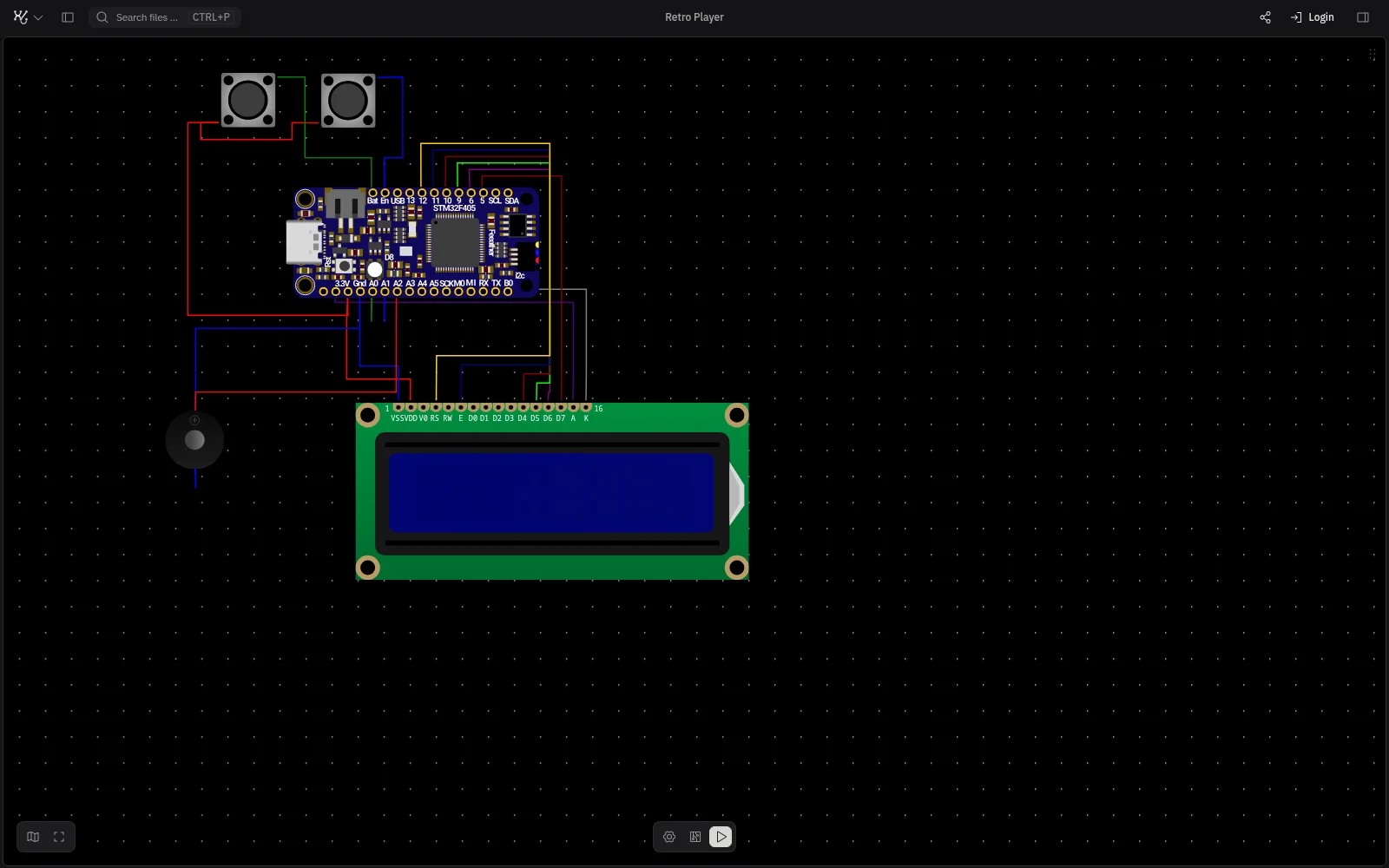 Autonomous inspection drone
Open
Components
Suggested Files
No matching files or actions
RunningRealtimeSimulation
~/drone $ west build -b nucleo_f767zi flight-controller-- west build: generating a build system-- Board: nucleo_f767zi-- Configuring done[1/142] Preparing syscall dependency handling[97/142] Building C object CMakeFiles/app.dir/src/imu.c.obj[98/142] Building C object CMakeFiles/app.dir/src/main.c.obj[142/142] Linking C executable zephyr/zephyr.elfMemory region Used Size Region Size %age Used FLASH: 38412 B 2 MB 1.83% RAM: 9216 B 512 KB 1.76%Build finished: flight-controller/build/zephyr/zephyr.elf~/drone $
/* Flight controller: attitude loop at 400 Hz on the STM32F767. */
#include <zephyr/kernel.h>
#include <zephyr/drivers/i2c.h>
#include "attitude.h"
#include "imu.h"

#define LOOP_HZ 400

static const struct device *i2c = DEVICE_DT_GET(DT_NODELABEL(i2c1));

int main(void)
{
    struct imu_sample s;

    if (!device_is_ready(i2c)) {
        return -ENODEV;
    }

    while (1) {
        imu_read(i2c, &s);
        attitude_update(&s);
        k_sleep(K_USEC(1000000 / LOOP_HZ));
    }
}#include "imu.h"
#define MPU6050_ADDR 0x68
#define ACCEL_XOUT_H 0x3B
int imu_read(const struct device *i2c, struct imu_sample *s)
{
uint8_t raw[14];
int err = i2c_burst_read(i2c, MPU6050_ADDR, ACCEL_XOUT_H,
raw, sizeof(raw));
if (err) {
return err;
}
s->ax = (int16_t)(raw[0] << 8 | raw[1]);
s->ay = (int16_t)(raw[2] << 8 | raw[3]);
s->az = (int16_t)(raw[4] << 8 | raw[5]);
return 0;
}CONFIG_I2C=y
CONFIG_SPI=y
CONFIG_SERIAL=y
CONFIG_GPIO=y
CONFIG_LOG=y// Safety monitor: raises FAULT if the flight controller goes quiet.
#include "pico/stdlib.h"
#define HEARTBEAT_PIN 15
#define FAULT_PIN 16
#define TIMEOUT_US 10000
int main(void)
{
gpio_init(HEARTBEAT_PIN);
gpio_init(FAULT_PIN);
gpio_set_dir(FAULT_PIN, GPIO_OUT);
uint64_t last = time_us_64();
bool level = gpio_get(HEARTBEAT_PIN);
while (true) {
if (gpio_get(HEARTBEAT_PIN) != level) {
level = !level;
last = time_us_64();
}
gpio_put(FAULT_PIN, time_us_64() - last > TIMEOUT_US);
}
}//! Telemetry: forwards flight state from UART to the ground link.
#![no_std]
#![no_main]
mod link;
use embassy_executor::Spawner;
use esp_hal::uart::{Config, Uart};
#[esp_hal_embassy::main]
async fn main(_spawner: Spawner) {
let p = esp_hal::init(Default::default());
let mut uart = Uart::new(p.UART1, Config::default())
.unwrap()
.with_rx(p.GPIO6)
.with_tx(p.GPIO7)
.into_async();
let mut frame = [0u8; 32];
loop {
let n = uart.read_async(&mut frame).await.unwrap();
link::send(&frame[..n]).await;
}
}# Autonomous inspection drone
Three controllers on one airframe, simulated together:
- flight-controller: STM32F767, Zephyr
- safety-monitor: RP2350, pico-sdk
- telemetry: ESP32-C3, Rust + Embassy/* Flight controller: attitude loop at 400 Hz on the STM32F767. */
#include <zephyr/kernel.h>
#include <zephyr/drivers/i2c.h>
#include "attitude.h"
#include "imu.h"
#define LOOP_HZ 400
static const struct device *i2c = DEVICE_DT_GET(DT_NODELABEL(i2c1));
int main(void)
{
struct imu_sample s;
if (!device_is_ready(i2c)) {
return -ENODEV;
}
int64_t next = k_uptime_ticks();
while (1) {
imu_read(i2c, &s);
attitude_update(&s);
next += k_us_to_ticks_ceil64(1000000 / LOOP_HZ);
k_sleep(K_TIMEOUT_ABS_TICKS(next));
}
}Live signals
STM32F767 · PB9 ↔ MPU6050 · SDA
 Primary flight controller STM32F767
 Telemetry ESP32-C3
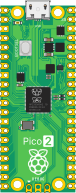 Safety monitor RP2350
 Motion MPU6050
 Altitude BMP280
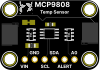 Thermal MCP9808

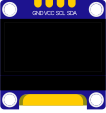 Status SSD1306
%20rotate(49)%20scale(10.6)'%3e%3cstop%20stop-color='%233B3C3C'/%3e%3cstop%20offset='0.34'%20stop-color='%23242525'/%3e%3cstop%20offset='0.76'%20stop-color='%23111212'/%3e%3cstop%20offset='1'%20stop-color='%23070707'/%3e%3c/radialGradient%3e%3cradialGradient%20id='buzzer-port'%20cx='0'%20cy='0'%20r='1'%20gradientUnits='userSpaceOnUse'%20gradientTransform='translate(5.35%205.25)%20rotate(48)%20scale(3.2)'%3e%3cstop%20stop-color='%23505151'/%3e%3cstop%20offset='0.42'%20stop-color='%23292A2A'/%3e%3cstop%20offset='0.82'%20stop-color='%230A0B0B'/%3e%3cstop%20offset='1'%20stop-color='%23020202'/%3e%3c/radialGradient%3e%3clinearGradient%20id='buzzer-rim'%20x1='3'%20y1='1.2'%20x2='8.6'%20y2='10.8'%20gradientUnits='userSpaceOnUse'%3e%3cstop%20stop-color='%23747575'/%3e%3cstop%20offset='0.28'%20stop-color='%23303131'/%3e%3cstop%20offset='0.72'%20stop-color='%23090A0A'/%3e%3cstop%20offset='1'%20stop-color='%23242525'/%3e%3c/linearGradient%3e%3cfilter%20id='buzzer-shadow'%20x='-14%25'%20y='-14%25'%20width='128%25'%20height='145%25'%20color-interpolation-filters='sRGB'%3e%3cfeDropShadow%20dx='0'%20dy='0.24'%20stdDeviation='0.24'%20flood-color='%23000'%20flood-opacity='0.5'/%3e%3c/filter%3e%3c/defs%3e%3c!--%20Familiar%20round%20molded%20body,%20with%20only%20restrained%20material%20depth%20added.%20--%3e%3ccircle%20data-part='body'%20cx='6'%20cy='6'%20r='5.72'%20fill='url(%23buzzer-body)'%20stroke='%23030303'%20stroke-width='0.42'%20filter='url(%23buzzer-shadow)'/%3e%3ccircle%20cx='6'%20cy='6'%20r='5.25'%20stroke='url(%23buzzer-rim)'%20stroke-width='0.3'/%3e%3cpath%20d='M2.15%203.48A4.7%204.7%200%200%201%206.85%201.36'%20stroke='%23A2A3A2'%20stroke-width='0.17'%20stroke-linecap='round'%20opacity='0.42'/%3e%3cpath%20d='M10.55%207.05A4.7%204.7%200%200%201%205.05%2010.6'%20stroke='%23020202'%20stroke-width='0.22'%20stroke-linecap='round'%20opacity='0.72'/%3e%3c!--%20Recessed%20sound%20opening,%20matching%20the%20scale%20and%20placement%20of%20the%20old%20art.%20--%3e%3ccircle%20data-part='sound-port'%20cx='6'%20cy='6'%20r='2.08'%20fill='url(%23buzzer-port)'%20stroke='%23030303'%20stroke-width='0.28'/%3e%3ccircle%20cx='6'%20cy='6'%20r='1.66'%20stroke='%23777878'%20stroke-width='0.12'%20opacity='0.3'/%3e%3cellipse%20cx='5.48'%20cy='5.35'%20rx='0.64'%20ry='0.28'%20fill='%23B8B9B7'%20opacity='0.11'%20transform='rotate(-18%205.48%205.35)'/%3e%3c!--%20Molded%20polarity%20marker%20retained%20from%20the%20original%20component.%20--%3e%3ccircle%20cx='6'%20cy='2'%20r='0.9'%20fill='%23171818'%20stroke='%235E5F5F'%20stroke-width='0.13'/%3e%3cpath%20d='M5.52%202H6.48M6%201.52V2.48'%20stroke='%23A7A8A7'%20stroke-width='0.18'%20stroke-linecap='round'/%3e%3c/svg%3e) Fault tone
Fault tone Fault state
Used by engineers at



Supported platforms
- Zephyr
- FreeRTOS
- Rust
- Embassy
- Arduino
- and pretty much anything else
See it run before you talk to anyone.
Real firmware. Virtual hardware. Extraordinary fidelity.
Run a complete embedded system in your browser.
An AI plays Snake
An ESP32-C3 asks an AI model for every move over TLS 1.3 from the chip, with two displays, tilt controls and a buzzer.
 Rust
Rust- Embassy
Two controllers, one bus
Two controllers share sensors, a display and a serial link.
 ESP-IDF
- Rust
Doom on RP2040
The full game running unmodified on a simulated RP2040, drawn to a colour display.
 pico-sdk
Custom environments
Turn up the interference. Watch packets stop arriving. See whether your firmware detects the loss and recovers.
RF Environment
sensorgateway2 radios
Environment
Typical home
Typical distance
8 m
Non-Wi-Fi interference
More noise. Less room for the signal.
System behaviorExample run
01
Sensor firmwareSending heartbeats
Running02
Wireless deliveryReaching the gateway
Receiving03
Gateway firmwareListening for the next heartbeat
Serial · gateway
INFO heartbeat receivedIllustrative RF scenario. PCB layouts: Olimex ESP32-DevKit-LiPo and ESP32-PoE · KiCad · Apache 2.0.
Multi-node systems
Run your controllers together. Follow a command from one firmware to the next, across the whole system.


OTA for a fleet
Test your update across 10,000 simulated devices before rollout.
Start with
supported hardware.
Try available boards and components, connect them, and run your firmware.
Simulate your hardware.
Share your PCB design files, schematics, and usual hardware documentation. We handle the simulation model. Run your firmware, test connected systems, and reproduce failures before deployment.
Connect the model to your existing tools, integrate with your SystemC simulator, or co-simulate with Verilog.
Discuss your systemAvailable on our cloud or your infrastructure.
Before an evaluation.
What engineering teams usually need to establish first.
What is Simulator86?
Simulator86 is a programmable simulation environment for developing, testing, and validating embedded systems before relying on physical hardware.
Can Simulator86 run our real firmware?
Yes. Simulator86 runs compiled firmware inside a virtual hardware environment, allowing teams to test the software they intend to ship.
Does Simulator86 support our framework and libraries?
Yes. Simulator86 is framework- and library-agnostic: if your firmware runs on the real supported chip, it runs on Simulator86.
What can embedded teams use Simulator86 for?
Teams use Simulator86 to develop firmware, reproduce difficult failures, automate testing, and validate system behavior at scale.
Which devices and systems can Simulator86 support?
Simulator86 supports a growing range of embedded architectures, devices, and connected systems. We evaluate each target system to confirm the right simulation coverage.
How does Simulator86 fit into an engineering workflow?
Teams can use Simulator86 interactively, integrate it into automated workflows, or connect it to AI engineering tools through the IDE, SDK, and MCP.
How do we evaluate Simulator86 for our product?
Start with a technical evaluation. We’ll review your firmware, target system, and engineering goals to determine how Simulator86 can support your team.








Bring your board. Get a simulator for it.
Run on your own servers. Work with us under NDA. Test analog behavior and functional logic, improve your HIL setup, and more.