


Simulation
Hardware stuck in shipping?
Keep shipping.
Run your real, unmodified firmware on simulated boards — no hardware on your desk required. Built to catch logic, protocol, state-machine, and integration bugs before they reach a PCB. The full list of supported simulations is in the docs.
Actual Binary Execution
Instruction-accurate emulation of your unmodified binary — peripherals, interrupts, and compute-intense scenarios included.
Works with any toolchain
Compile your project with any toolchain—GCC, LLVM, or vendor-specific. If it outputs a binary, the simulator runs it.
Deploy in Seconds
No setup. No flashing. No waiting for the right cable. Upload your binary and start debugging immediately.
Scope
Simulation is easy. Honest simulation is rare.
A simulator is only useful if you know which bugs it catches. Here is where ours is strong — and where a bench is still the right tool.
What it catches
- ✓ Logic and state-machine bugs — the firmware does the wrong thing
- ✓ Protocol and driver bugs — I2C, USART, GPIO traffic is recorded and inspectable
- ✓ Integration bugs — firmware against peripherals, interrupts included
- ✓ Long-run firmware bugs — leaks, fragmentation, counter wraps
What still needs a bench
- — Analog effects, power behavior, and temperature
- — Flash wear and other physical degradation
- — EMI and signal-integrity issues on a real PCB
- — Final validation — we shorten the road to the bench, not replace it
Online IDE
Bring a binary — or just bring an idea.
Everything above works on binaries you upload. But you can skip the local setup entirely: the built-in IDE builds your firmware in the browser — whatever your toolchain — and drops the result straight onto a simulated board. Open a tab, write firmware, watch it run — nothing to install.
Your toolchain, in the browser
GCC, LLVM, Rust with embassy and embedded-hal, vendor SDKs — if it builds firmware, it builds here. Your laptop never hears about it.
Build to board in one click
The simulator picks up your binary the moment the build finishes. No flashing, no cables, no copy-paste.
An agent that sees the silicon
The AI agent reads your code, your build errors, and the live register state — so “why is this pin low?” is a question it can actually answer.
Modern debugging, no probe
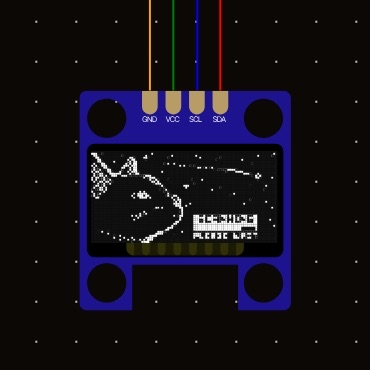
Segger RTT, serial output, display frames, and register values stream into the same tab you're typing in.
Edit, rebuild, rerun
The fix-and-retry loop is seconds long. Tweak a line, rebuild, and the board restarts with your change.
Share the whole rig
Send a link and anyone runs your project — firmware, wiring, and peripherals included. No setup on their end either.
Examples
Start simulating today.
Try the Simulator







Bring us one firmware build and the failure your team cannot reproduce.
We’ll scope the virtual system, run the scenario, and show your team the evidence Simulator86 can preserve and replay.